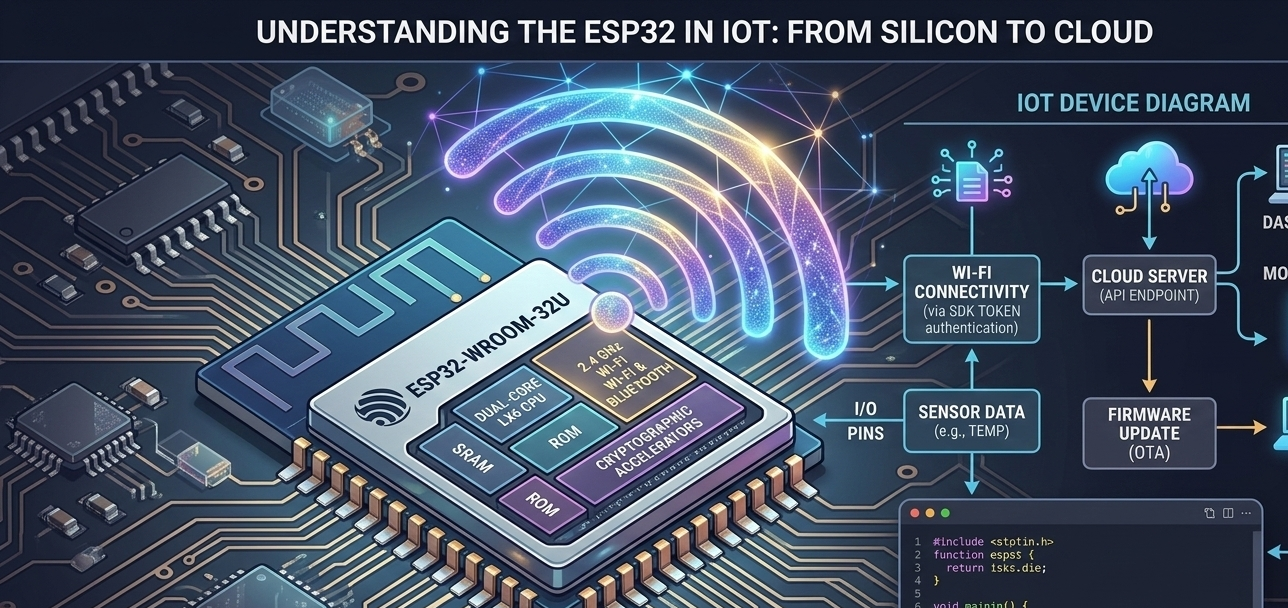
If you work with ESP32, you've almost certainly run into the same challenge that stops most serious IoT projects: you can blink LEDs, read sensors, and fire off HTTP requests — but when it's time to go to production, when the device needs to work reliably from anywhere in the world with a real mobile app and stable cloud backend, the complexity explodes.
Building the cloud infrastructure yourself — MQTT broker, authentication system, database, SSL certificates, mobile app — can consume three to six months of development time before you've written a single line of firmware logic for the actual device. Techs-Solutions has a free SDK for ESP32 developers that cuts that path down to minutes.
Why ESP32 Is the Developer's Choice for IoT
The ESP32 from Espressif is the most widely deployed microcontroller in IoT projects globally, and for good reason. This chip combines in a small footprint:
- Dual-core processor running up to 240 MHz
- Built-in WiFi (802.11 b/g/n)
- Built-in Bluetooth (BT 4.2 + BLE)
- 34 programmable GPIO pins
- ADC and DAC for analog sensor reading
- PWM, SPI, I2C, and UART controllers
- Remarkable price — under $5 per unit in most markets
For a developer working on home automation — controlling lighting, measuring power, collecting sensor data, remote appliance control — the ESP32 is the right tool. The challenge has never been the hardware; it's always been the cloud connectivity layer.
The Real Challenges of Production IoT Projects
You can get a device blinking an LED over WiFi in an afternoon. The problems that stop serious projects are what comes after:
Challenge 1: Cloud Infrastructure
To control a device from anywhere in the world, you need:
- A cloud server to host your backend
- An MQTT broker or WebSocket server for real-time device communication
- An authentication system so devices recognize the right user
- A database to store device data and settings
- SSL/TLS certificates for security
This means provisioning a VPS, configuring an MQTT broker (Mosquitto, HiveMQ, or similar), writing a complete backend, and wiring it all together. Not impossible — but time-consuming and a significant maintenance burden going forward.
Challenge 2: Persistent Connection Management
The ESP32 isn't always connected. When WiFi drops or power cuts, what happens? A production system needs:
- Automatic reconnection logic that's intelligent, not just a retry loop
- Offline buffering to store readings temporarily until connectivity is restored
- Heartbeat mechanism so the cloud knows whether each device is alive or unreachable
Challenge 3: The Mobile App
Once the backend is running, you need a mobile app. iOS and Android separately — that's its own substantial project, and it needs to stay maintained as operating system versions change.
Challenge 4: Security
From firmware-level security on the device to API authentication and authorization, doing security correctly requires specialized expertise that most hardware-focused developers don't have deep practice in.
The bottom line: Building all of this from scratch can consume 3-6 months of development for a single experienced developer, before you've started on the actual hardware innovation you care about.
The Techs-Solutions Free SDK: Shortcut to Production
Techs-Solutions has opened a developer portal at techs-solutions.com/developer with a free ESP32 SDK that handles all of the above on your behalf.
The SDK is an Arduino/ESP-IDF library you add to your project. It gives you:
- Secure connection to the Techs-Solutions cloud without building a backend
- Built-in authentication — each device has a unique, secured identity
- MQTT over TLS ready and integrated in the library
- Automatic reconnection logic
- OTA firmware updates — update firmware remotely with a single line of code
- Data logging — sensor readings are stored in the cloud automatically
And most importantly: the Techs-Solutions Android app is already live and connected to the same cloud. There's no app to build — download the app, add your device, and start controlling it.
How to Register a Device and Connect to the Cloud
The process is straightforward and takes minutes:
Step 1: Add the Library
In Arduino IDE or PlatformIO, add the Techs-Solutions SDK library:
#include

TechsCloud cloud("YOUR_DEVICE_TOKEN", "YOUR_WIFI_SSID", "YOUR_WIFI_PASS");
Step 2: Register Your Device
From the developer portal at techs-solutions.com/developer, create a new device and get its device token. This is a unique identifier that links your physical hardware to your cloud account.
Step 3: Connect and Send Data
void setup() {
    cloud.connect();
}

void loop() {
    // Send data to the cloud
    cloud.sendData("temperature", 25.5);
    cloud.sendData("humidity", 60.0);

    // Receive commands from the app
    if (cloud.hasCommand()) {
        String cmd = cloud.getCommand();
        if (cmd == "relay_on")  digitalWrite(RELAY_PIN, HIGH);
        if (cmd == "relay_off") digitalWrite(RELAY_PIN, LOW);
    }

    delay(5000);
}
Your device is now connected to the cloud, sending data, and receiving commands. Five minutes of code instead of months of infrastructure.
Step 4: Control from the App
Download the Techs-Solutions app, sign in, and your device will appear automatically. View live data and send commands with a tap.
Energy Monitoring with PZEM Sensor: A Complete Project in Lines
One of the most powerful applications the SDK supports is electricity consumption monitoring using the PZEM-004T sensor.
Components:
- ESP32 development board
- PZEM-004T energy monitor module
- UART interface between the ESP32 and PZEM
Core code:
#include
#include

PZEM004Tv30 pzem(Serial2, 16, 17); // RX, TX
TechsCloud cloud("YOUR_TOKEN", "SSID", "PASS");

void loop() {
    float voltage   = pzem.voltage();
    float current   = pzem.current();
    float power     = pzem.power();
    float energy    = pzem.energy();
    float frequency = pzem.frequency();
    float pf        = pzem.pf();

    cloud.sendData("voltage",    voltage);
    cloud.sendData("current",    current);
    cloud.sendData("power",      power);
    cloud.sendData("energy_kwh", energy);

    delay(10000); // Every 10 seconds
}
The result is a cloud-connected energy meter that sends readings every 10 seconds and displays them as charts in the mobile app — no server, no backend code.
Relay Control: Full Automation
Add a relay module to the circuit, and you can control any electrical appliance from the app:
void onCommandReceived(String command, String value) {
    if (command == "switch") {
        if (value == "on")  digitalWrite(RELAY_PIN, HIGH);
        if (value == "off") digitalWrite(RELAY_PIN, LOW);
    }
}

void setup() {
    cloud.connect();
    cloud.onCommand(onCommandReceived); // callback for incoming commands
    pinMode(RELAY_PIN, OUTPUT);
}
Time-based scheduling is configured directly in the app — no need to code a scheduler on the device itself.
Advanced Capabilities for the Experienced Developer
Once you have the basics working, the SDK supports:
- Multi-device management — manage dozens of devices from a single account
- Custom data types — send any data you need: numbers, strings, or JSON
- Webhooks — connect your device to other services (IFTTT, Telegram, etc.)
- Device groups — organize devices by room or function
- Firmware OTA — push code updates to all your devices simultaneously
Why Techs-Solutions SDK vs. Other Platforms?
The market has other options: Blynk, Adafruit IO, AWS IoT, and others. Each has strengths. The core advantages of the Techs-Solutions SDK for developers in the Egypt and Gulf region:
- Arabic-language documentation and support — technical docs and developer support in Arabic, not translated English
- Regional cloud infrastructure — lower latency for Egypt and Gulf users means real-time control that actually feels real-time
- Free for developers in the initial phase
- Ready-made mobile app — no app development required
- Integration with the Techs-Solutions ecosystem — if you're building a commercial product, you can integrate it with other Techs-Solutions offerings and distribution
Start Your Project Today
The developer portal at techs-solutions.com/developer includes:
- Complete SDK installation instructions
- Ready-to-use code examples for over 10 common project types
- A developer community for questions and discussion
- Complete API documentation
Whether you're building a hobby project, a prototype, or a full commercial product — the SDK handles the hardest part so you can focus on what you're actually here to build: the hardware innovation itself.
The SDK is free, the cloud is ready, and your first device can be connected in under 10 minutes.